
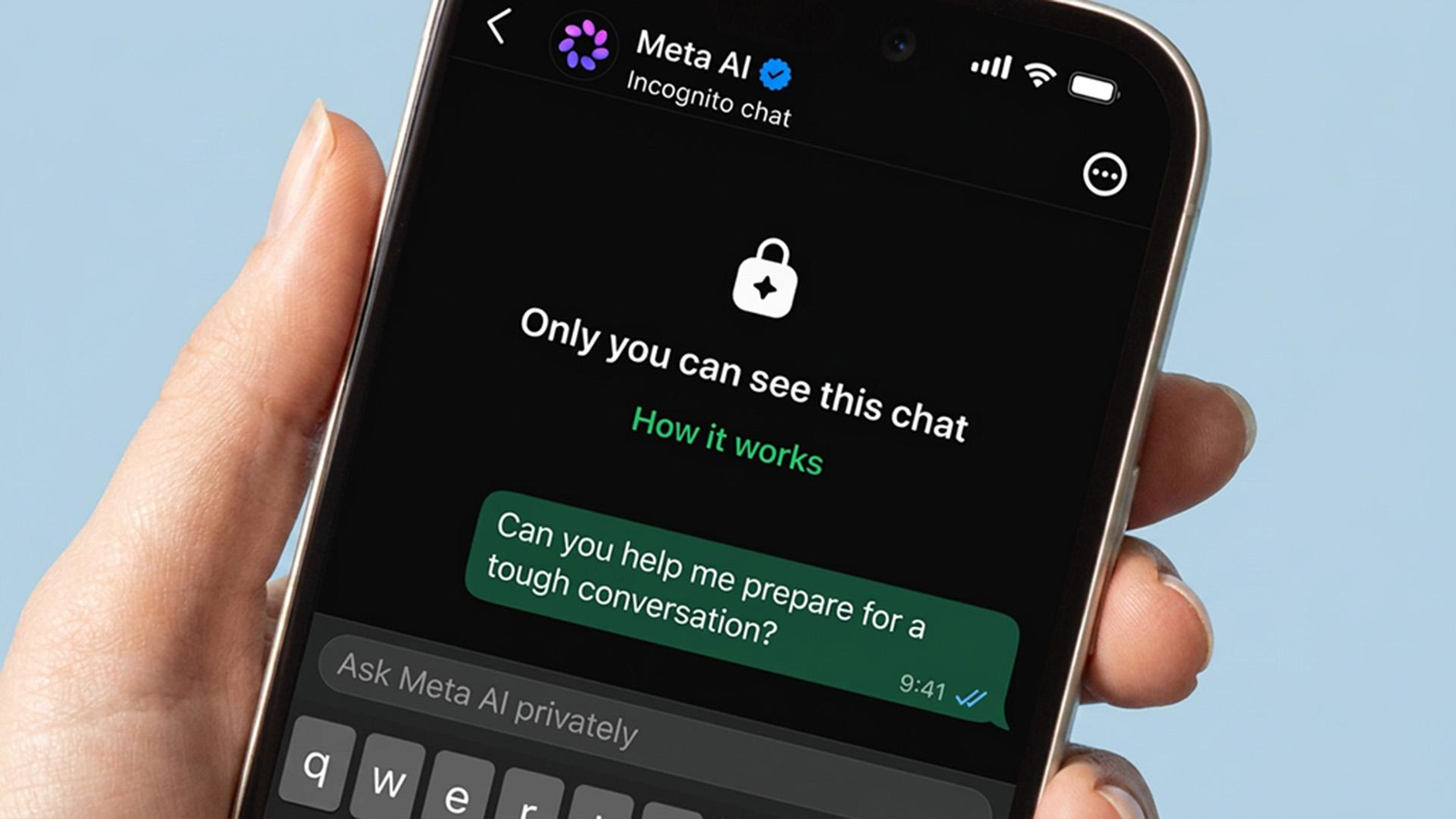
Artificial intelligence is becoming part of our everyday online experience. You can now ask questions, generate images, write messages and get recommendations directly inside apps such as Facebook, Instagram and WhatsApp.
Meta AI makes many of these tasks easier. But there is one question that more users should be asking:
How much personal information are we sharing with AI without fully understanding what happens to it?
Think about it. You might ask an AI assistant to rewrite a personal message, explain a medical report, review a business idea or create an image using your photograph. These requests can contain information that you would not normally share publicly.
And when an AI assistant becomes more connected to your apps, files and device, the privacy discussion becomes even more important.
Recent reports about Meta’s AI products have brought these concerns back into focus. From questions about the Meta AI app’s public Discover feed to newer reports about its Muse AI agent, users have good reasons to understand their privacy settings.
In this guide, we will explain what the concerns are, what Meta says about its data practices, which settings you should check and how to use Meta AI more carefully.
You do not need to stop using AI completely. You just need to understand what you are sharing.
Why Is Meta AI Privacy Becoming a Bigger Concern?
Meta AI is designed to make artificial intelligence accessible across products such as Facebook, Instagram, WhatsApp and its standalone AI app.
Instead of opening a separate chatbot, users can access AI features while using apps they already know.
That convenience also creates a new privacy challenge.
People often treat a chatbot like a private conversation. They may share personal questions, business information, screenshots, photographs or details about their daily lives without thinking about where that information goes.
For example, imagine asking Meta AI:
- Can you explain this medical report?
- Help me write a message about a family problem.
- Review this contract before I sign it.
- Create a professional photograph using my face.
- Help me calculate my monthly income and expenses.
These requests may include sensitive personal information.
The important point is that an AI conversation should not automatically be treated like a confidential discussion with a doctor, lawyer or financial adviser.
The privacy risk is not simply that AI exists. It is that users may share more information than they understand or intend to share.
What Actually Happened With the Meta AI Privacy Controversy?

Meta AI has faced more than one privacy-related controversy. Understanding the difference between them is important because they involve different features and risks.
1. The Meta AI Discover feed controversy
In June 2025, reports highlighted conversations and prompts appearing in the Meta AI app’s Discover feed.
Some users appeared to be sharing personal questions and AI-generated content publicly without fully understanding the visibility of their posts.
Reports included examples involving personal, medical and legal questions.
Meta said conversations were private by default and that users had to choose to share content. However, privacy advocates questioned whether the app made the public-sharing process clear enough.
Meta subsequently added a warning telling users that prompts posted to the feed could be visible to everyone.
The lesson was simple: a private AI conversation and a publicly shared AI post are not the same thing.
Before using a Share or Publish option, always check where the content will appear.
Sources: BBC reporting on Meta AI searches and Engadget’s coverage of Meta’s warning.
2. New concerns involving Meta’s Muse AI agent
The discussion became more serious in November 2026.
A Reuters investigation published on November 18 reported internal safety concerns involving Meta’s Muse AI agent.
According to Reuters, employees had reported issues including unsolicited messages, fabricated purchases, unauthorised bookings and conversations that appeared to belong to other users.
Reuters also worked with researchers to reproduce situations in which Muse could access Signal messages through certain Android notification permissions and macOS accessibility and screenshot permissions.
Meta described the incidents as isolated and said some apparent data leaks were hallucinations. Reuters said it could not determine whether some sensitive details came from other accounts or had been invented by the AI.
This distinction matters. The reporting raises legitimate questions about AI agent permissions, but it does not establish that every Meta AI conversation is publicly accessible.
The bigger concern is how much access an AI agent should receive before it can perform actions on someone’s behalf.
Source: Reuters – As Meta Bets Big on Muse AI Agent, Early Safety Mishaps Surface.
How Does Meta AI Collect and Use Your Information?
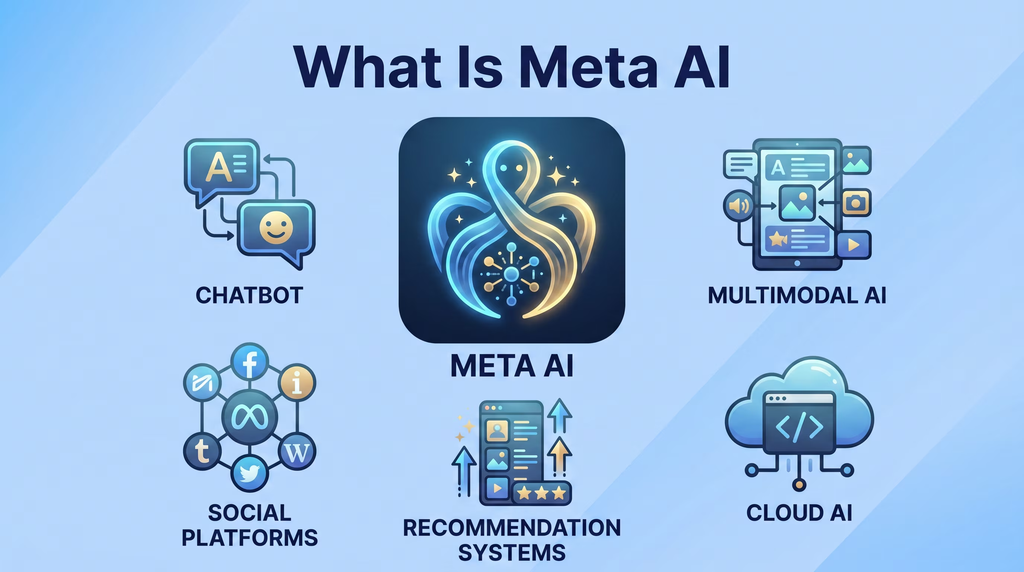
Before deciding whether Meta AI is safe, it helps to understand the different types of information involved.
Not all information is collected or used in the same way.
1. Information you directly share
This is information you intentionally provide while using an AI feature.
Examples include:
- Questions and prompts.
- Images you upload.
- Files you share.
- Voice interactions.
- Feedback you submit.
When you upload a photograph and ask Meta AI to edit it, you are providing that image to the service for processing.
2. Public information from Meta platforms
Meta has explained that publicly shared content from Facebook and Instagram has been used to train generative AI models.
Its published explanation distinguishes public posts from private posts and private messages.
This does not mean every private conversation is automatically used to train every Meta AI model.
However, it is important to understand that information you publish publicly on social media can have different privacy implications from information you keep private.
3. Information related to your AI interactions
Meta’s privacy documentation explains that information from interactions with its AI features may be used to improve products and for other purposes.
The exact treatment depends on the product, feature, applicable policy and settings.
For that reason, it is worth reviewing the current Meta Privacy Policy instead of relying on assumptions about how an older version of the service worked.
4. Information accessed through device permissions
This is particularly important when using AI agents.
An AI chatbot may only need the information you type into it. An AI agent designed to perform tasks may request access to additional resources, depending on the features you enable.
These could include:
- Notifications.
- Files.
- Photos.
- Microphone access.
- Contacts.
- Accessibility permissions.
- Screen or application information.
Not every AI feature requires these permissions.
But when an AI agent can interact with other apps, the potential consequences of granting access become much bigger.
Can Meta AI Read Your WhatsApp and Instagram Messages?
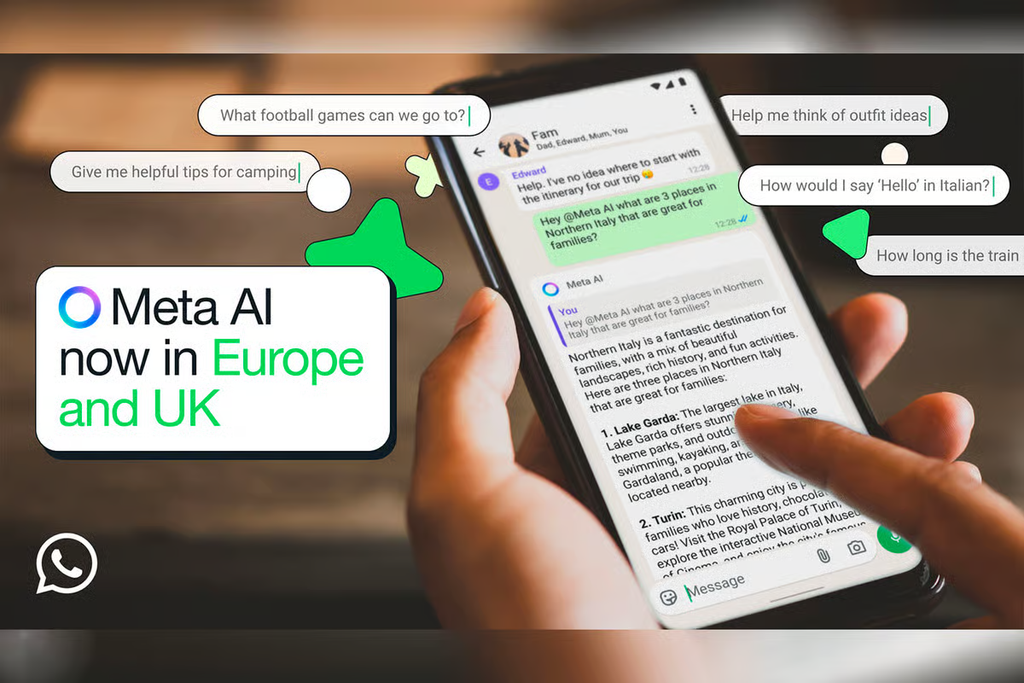
This is one of the most common questions users ask.
The answer is not a simple yes or no. It depends on how you interact with Meta AI and which feature you use.
For example, sharing a message with an AI assistant is different from having an ordinary private conversation with another person.
Meta has stated that it does not use the content of private messages with friends and family to train its AI models unless someone chooses to share those messages with AI features.
However, users should not assume that all AI interactions inside Meta’s products have identical privacy protections.
Consider these situations:
Situation 1: You are chatting privately with a friend.
This is different from directly sending that conversation to an AI feature.
Situation 2: You share a message with Meta AI and ask it to summarise the conversation.
You have now provided that content to an AI service for processing.
Situation 3: You give an AI agent permission to access notifications or interact with other apps.
The agent may be able to access information through the permissions you have granted, depending on the device and feature.
Situation 4: You publish an AI conversation to a public feed.
The conversation or generated content may become visible to other users according to the sharing feature’s settings.
The safest approach is to treat anything you deliberately send to an AI assistant as information you are giving to that service.
Do not upload sensitive messages just because the chatbot feels like a private conversation.
What Happens When You Share Photos and Personal Details With Meta AI?
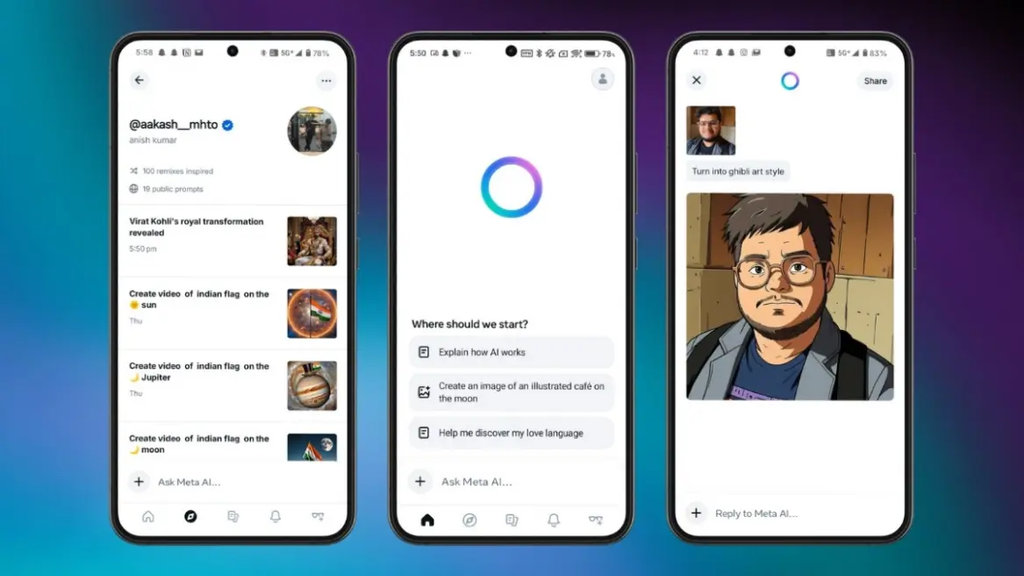
AI image editing and generation are among the most attractive features of modern chatbots.
You can upload a photograph and ask AI to:
- Change the background.
- Improve lighting.
- Create a professional profile picture.
- Generate a different outfit.
- Turn a photograph into an illustration.
- Remove unwanted objects.
These features are useful, but your photographs can contain more information than you realise.
For example, a photograph might reveal:
- Your face and appearance.
- Other people in the background.
- Your home or workplace.
- Location-related details.
- Documents visible in the image.
- Information about children or family members.
Before uploading a photo, check whether it contains anything you would not want processed by an online service.
A practical example
Imagine you want Meta AI to create a professional LinkedIn photograph.
You upload a picture taken inside your home. In the background, there is a document containing your address and a family photograph.
The AI request may be about your professional appearance, but the uploaded image contains additional personal information.
A better approach is to crop the photograph first and remove unnecessary background details.
Simple rule: Share only the information needed to complete the task.
Meta AI Privacy Settings You Should Check
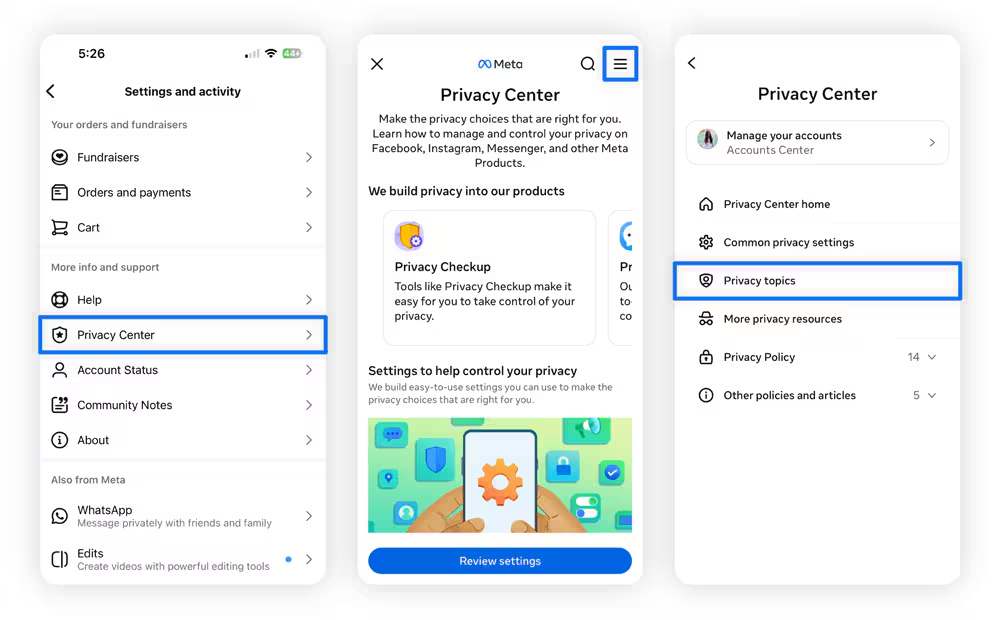
If you use Meta AI regularly, take a few minutes to review your account and app settings.
The exact menu names can change with app updates, region and product version, so use these as navigation guidance and verify the current options in your app.
1. Review your Meta AI activity
Open the Meta AI app or the AI feature you use.
Look for account, activity, data or privacy controls.
Review available options for:
- Conversation history.
- Shared prompts or public posts.
- Saved information or memory.
- Uploaded files and images.
- Deletion controls.
If you find a conversation you no longer need, check whether the product offers an option to delete it.
Remember that deleting a visible conversation does not necessarily mean every copy or record has immediately been removed from all systems.
2. Check whether your interactions are used to improve AI
Meta’s policies and controls can vary across products.
Look for settings related to AI improvement, data use or model training.
Read the description before changing anything. Some controls may apply only to a specific product or type of interaction.
Do not assume that turning off one setting disables every form of data collection.
3. Review app permissions on your phone
This is especially important if you use AI agents or features that interact with other applications.
On Android:
- Open Settings.
- Go to Apps.
- Select the Meta AI app or the relevant Meta application.
- Open Permissions.
- Review access to the microphone, camera, photos, contacts and other resources.
- Remove permissions that are not necessary for features you use.
On iPhone:
- Open Settings.
- Find the Meta application.
- Review the permissions available for that app.
- Turn off access that you do not need.
The available permission categories differ between Android and iOS versions.
4. Review public sharing settings
If you use Meta AI’s Discover or sharing features, check whether your prompts or generated content are visible to other people.
Do not press Share, Publish or Post without reviewing the destination.
If the app provides a way to change the visibility of previous posts, use it to review older content.
5. Secure your Meta account
Privacy is not only about AI data use. Your account security matters too.
Use these basic protections:
- Create a strong, unique password.
- Enable two-factor authentication.
- Review logged-in devices.
- Remove sessions you do not recognise.
- Be careful with suspicious links.
- Never share verification codes.
You can review account security through Meta’s Accounts Center.
How to Use Meta AI More Safely: 8 Practical Rules
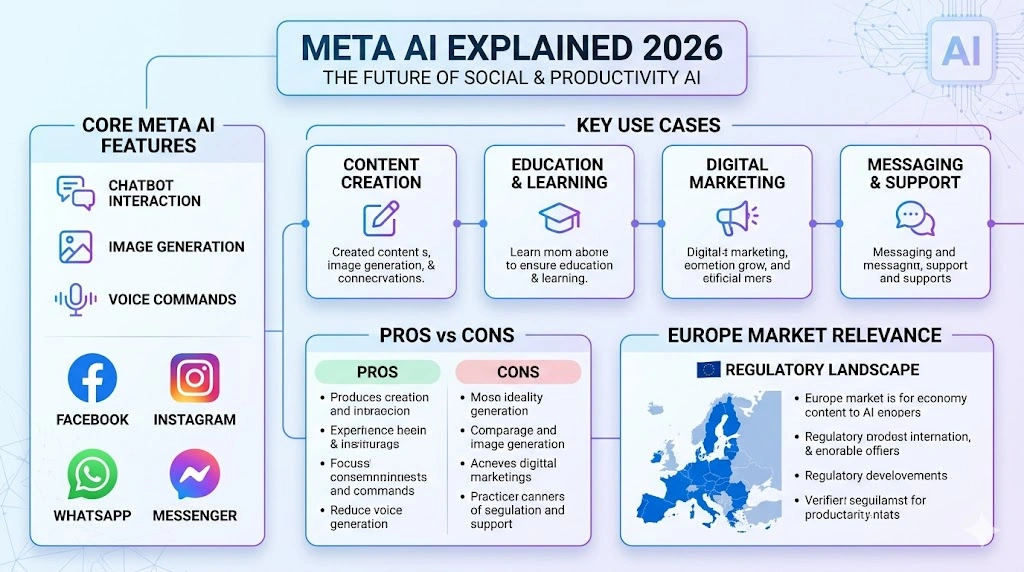
You do not need to avoid every AI feature. Instead, build a few simple habits.
Rule 1: Never share passwords or verification codes
An AI assistant does not need your banking password, email password or one-time verification code to answer an ordinary question.
If a prompt asks you to share such information, stop.
Rule 2: Avoid uploading sensitive documents
Think twice before uploading:
- Government identity documents.
- Bank statements.
- Credit card details.
- Medical reports.
- Private contracts.
- Confidential business documents.
If you need help understanding a document, remove identifying information first.
Rule 3: Do not assume that a chatbot is a confidential adviser
AI can help explain general topics, but it is not automatically covered by the same confidentiality rules as a professional relationship with a lawyer or doctor.
Use professional advice for important legal, medical or financial decisions.
Rule 4: Check before sharing an AI conversation
A prompt that feels harmless to you might reveal something personal.
Before publishing a conversation, ask yourself whether you would be comfortable with a stranger reading it.
Rule 5: Limit unnecessary permissions
An AI feature should not receive access to your entire device simply because it offers one useful function.
Review permissions regularly.
Rule 6: Be careful with AI-generated images of other people
Do not upload or manipulate photographs of someone else without considering their consent and privacy.
This is particularly important for children and private individuals.
Rule 7: Review AI agent actions
If an agent can send messages, book services or make purchases, understand what approval is required before those actions happen.
Start with limited permissions and supervised actions.
Rule 8: Review privacy settings after app updates
Apps regularly introduce new features and change their settings.
A privacy review every few months is a good habit, especially if you use AI frequently.
Meta AI vs ChatGPT vs Gemini: Which Is Better for Privacy?
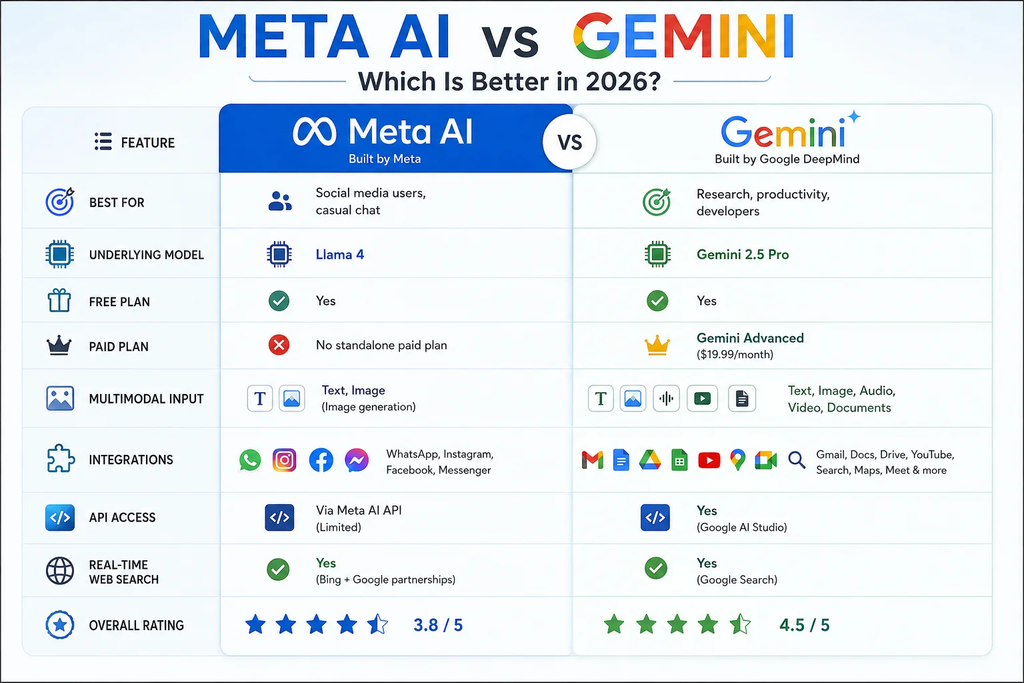
Many users assume that one AI assistant is automatically safer than another.
That is not a reliable way to compare them.
Meta AI, ChatGPT and Google Gemini have different products, features, privacy policies and controls. Their data practices can also change over time.
Instead of choosing based only on the brand, compare the privacy controls that matter to your use case.
| Privacy consideration | Meta AI | ChatGPT | Google Gemini |
|---|---|---|---|
| Conversation history controls | Check current Meta product settings | Available, with product-specific controls | Available, with product-specific controls |
| Data-use controls | Depend on product and feature | Depend on account and settings | Depend on account and settings |
| File and image uploads | Supported features vary | Supported features vary | Supported features vary |
| Connected services | Meta ecosystem | Available integrations and tools | Google ecosystem integrations |
| AI agent capabilities | Expanding through agent products | Depends on available tools and features | Depends on available tools and features |
Which one should you choose?
If you mainly use AI for casual questions, writing ideas or image generation, compare how each service handles your prompts and uploaded content.
If you use AI for work, pay more attention to business plans, data retention, administrative controls and contractual privacy terms.
If you want an AI assistant to interact with other applications, review its permissions carefully.
There is no universal winner for every user. The best choice depends on what information you share and which controls you need.
Is It Safe to Use Meta AI for Work and Personal Tasks?
Meta AI can be useful for everyday tasks.
For example:
- Rewriting a social media caption.
- Brainstorming content ideas.
- Generating a simple image.
- Explaining a general technology concept.
- Creating a basic shopping list.
- Translating a non-sensitive message.
However, some tasks require more care.
For freelancers and social media managers
If you manage client accounts, do not upload confidential campaign reports, private customer information or account credentials into an AI chatbot without checking the relevant data policies and permissions.
You can still use AI for brainstorming, generic captions and content planning without sharing confidential client details.
For students
AI can help explain difficult concepts, summarise study topics and generate practice questions.
Avoid sharing personal identification documents, private school records or confidential information about other students.
For businesses
Companies should create clear AI usage policies.
Employees need to understand which tools are approved, what information can be shared and whether AI-generated output needs human review.
For sensitive work, use services and plans that meet the organisation’s privacy and security requirements.
What Parents Should Know About Meta AI

Children and teenagers may not always understand the difference between a private conversation and publicly shared content.
They may also upload photographs, ask personal questions or share information about friends without thinking about the consequences.
Parents can help by explaining a few basic rules:
- Do not share home addresses or phone numbers with AI.
- Do not upload private family photographs without permission.
- Do not share school or identity documents.
- Check before posting AI-generated content publicly.
- Tell a trusted adult if an AI interaction makes them uncomfortable.
Also review the age requirements and parental supervision options available for the specific Meta product being used.
The goal should be to teach responsible AI use, not simply to ban technology without explanation.
Latest Meta AI Privacy and Safety Developments
This section covers recent developments that may change as Meta releases updates or regulators take further action.
November 18, 2026: Reuters reports concerns about Meta’s Muse AI agent
Reuters reported internal safety concerns involving Meta’s Muse AI agent, including reports of unsolicited actions and possible access to messages through certain device permissions.
Meta said the reported cases were isolated and disputed some interpretations of the apparent data exposure.
The story raises an important question for the wider AI industry: how should companies limit an AI agent‘s access when it can interact with applications and perform tasks?
Read the Reuters investigation.
November 20, 2026: Signal introduces additional screenshot protections
Reuters reported that Signal was introducing screenshot restrictions to make it harder for AI agents to access private conversations through screenshots.
The development followed concerns about AI agents reading information from device notifications and screens.
It highlights a wider issue: an encrypted messaging service may protect messages within its own system, but a separate tool with access to the device screen could potentially see information displayed outside that system.
Read the Reuters report on Signal’s screenshot restrictions.
July 2026: Meta discontinues a controversial AI image feature
In July 2026, Reuters reported that Meta discontinued its Muse Image feature shortly after launch following privacy backlash.
The feature allowed users to generate and edit images using public Instagram accounts as references.
Critics raised concerns about consent and the potential creation of digital replicas without appropriate permission.
Meta acknowledged that the feature had missed the mark.
What do these developments tell us?
AI is moving beyond answering questions.
It is increasingly being connected to messages, photographs, applications and real-world actions.
That creates new privacy challenges for users and technology companies.
The next stage of AI development will need more than better models. It will also need clear permission controls, transparent data practices and reliable ways to prevent unintended actions.
Frequently Asked Questions About Meta AI Privacy
1. Is Meta AI safe to use?
Meta AI can be used for everyday tasks, but users should understand its privacy policies and controls. Avoid sharing passwords, sensitive documents, confidential business information or personal details that are not necessary for a request.
2. Can other people see my Meta AI conversations?
Not every Meta AI conversation is automatically public. However, content shared through public features such as Discover may become visible to other people. Always check the visibility settings before publishing or sharing a prompt.
3. Does Meta AI use my conversations to train its models?
Meta’s data-use policies depend on the product and feature. Meta has said that information shared with its generative AI features may be used to improve its products. Check the current privacy policy and available controls for the specific service you use.
4. Can Meta AI access my WhatsApp messages?
Do not assume that Meta AI automatically reads every private WhatsApp conversation. Sharing messages with AI or granting an agent access to device features is different from an ordinary private conversation. Review the permissions and privacy information for the specific feature.
5. How can I protect my privacy while using Meta AI?
Avoid sharing sensitive information, review app permissions, check public-sharing settings, secure your Meta account and review available AI data controls regularly.
6. Can I delete my Meta AI conversations?
Check the history and data controls available in the Meta AI product you use. Deletion options may vary by product, and deleting visible history does not necessarily mean all associated records are immediately erased from every system.
7. Should I stop using Meta AI?
Not necessarily. You can use AI for general questions, writing, brainstorming and other everyday tasks while avoiding sensitive information and unnecessary permissions. The important thing is to understand the risks before sharing data.
8. Is Meta AI more dangerous than ChatGPT or Gemini?
There is no simple answer. Each service has different features, integrations and data policies. Compare the specific privacy controls and permissions rather than assuming one service is always safer than another.
Final Verdict: Convenience Should Never Come Before Your Privacy
Meta AI and other AI assistants can make everyday tasks easier. They can help you write, create images, understand information and organise work.
But convenience should not make us careless about personal information.
The recent Meta AI controversies show why privacy needs to be part of the conversation whenever a company introduces a new AI feature.
The most important habit is simple: think before you share.
Check what information you are uploading, understand which permissions you are granting and review where your AI conversations may appear.
You do not have to stop using AI to protect your privacy. You just need to use it with more awareness.
At Tech Thrilled, we will continue covering AI developments, privacy concerns and practical technology guides that help users make smarter decisions.
Have you checked your Meta AI privacy settings recently? Share your experience in the comments.