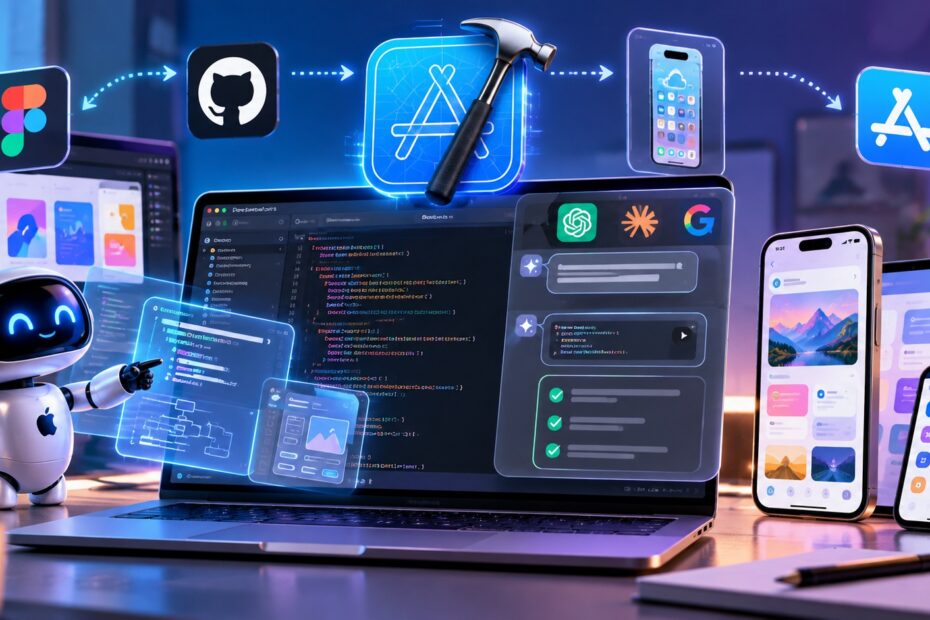
For years, AI coding tools mostly worked like advanced autocomplete: you asked for a piece of code, accepted a suggestion, fixed a few errors, and moved on.
Xcode 27 is pushing that model much further.
Apple’s latest Xcode release brings coding agents directly into the development workflow. Instead of simply suggesting individual lines or editing one file, agents can understand a broader project, create plans, make changes across files, run tests, use Playgrounds, inspect previews, and interact with running apps.
Xcode 27 also integrates agents and models from Anthropic, OpenAI, and Google, while giving developers ways to extend the workflow through plugins, the Model Context Protocol (MCP), and Agent Client Protocol (ACP). Apple
That makes Xcode 27 less about “AI that writes code” and more about “AI that participates in the software development process.”
Let’s look at what actually changed and what it means for developers.
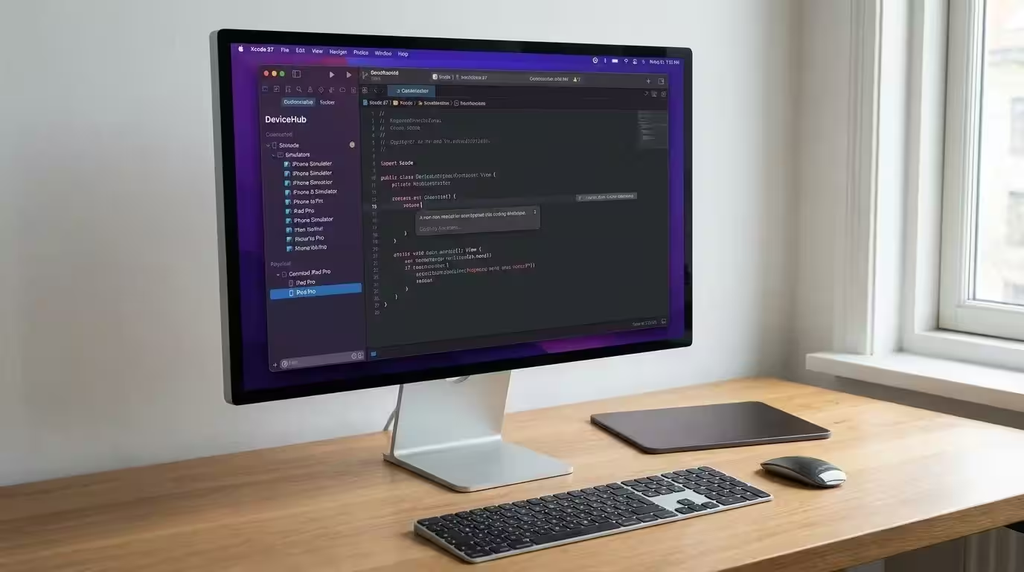
What Is Xcode 27?
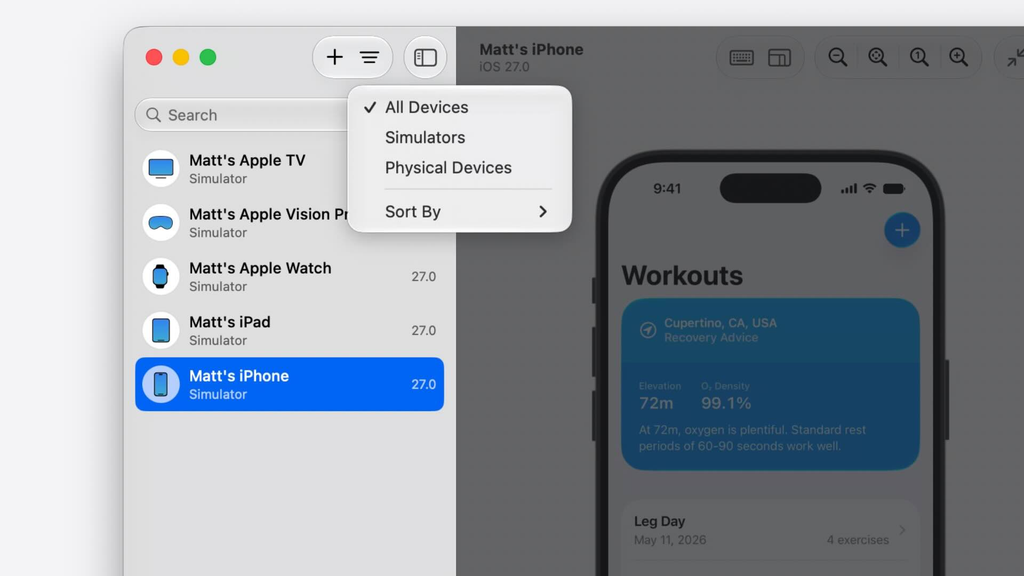
Xcode is Apple’s main development environment for building apps for iPhone, iPad, Mac, Apple Watch, Apple TV, and Apple Vision Pro.
With Xcode 27, Apple has made AI-powered development a much deeper part of that environment.
Apple describes Xcode 27 as a major step toward agentic coding, where coding agents can work more independently toward a developer’s goal. The environment provides agents with access to tools that can help them plan, modify, test, preview, and interact with an application.
Xcode 27 became available on September 14, 2026, alongside Apple’s major 2026 platform releases. Apple Developer
The important part isn’t simply that Xcode has AI.
The important part is what the AI is allowed to do inside the development environment.
Why Xcode 27 Is Different From Xcode 26
Xcode 26 introduced a much more capable coding intelligence experience, including natural-language code assistance, code generation, documentation, refactoring, test generation, and support for ChatGPT and Claude.
Then Xcode 26.3 introduced a more agentic approach, allowing agents such as Claude Agent and OpenAI Codex to handle complex, multi-step development tasks with greater autonomy.
Xcode 27 takes that concept further.
Instead of treating AI as another panel that developers occasionally ask for help, Apple has redesigned the workflow around conversations, plans, artifacts, previews, testing, and multiple agent tasks.
In other words:
Xcode 26:
AI helps you write and modify code.
Xcode 26.3:
AI agents can take on larger development tasks.
Xcode 27:
Agents can participate across much more of the build, test, and refinement workflow.
This is an important distinction because agentic coding isn’t simply about generating more code. It’s about giving an AI system access to the tools required to work through a development task.
Apple’s Shift From AI Assistant to AI Agent
A traditional coding assistant usually waits for instructions.
You might type:
“Create a SwiftUI settings screen.”
The assistant generates code, and you review it.
An agent can approach the same task differently.
You could give it a higher-level goal:
“Add a settings screen that lets users change notification preferences and make sure it works with the existing architecture.”
The agent can then inspect the project, create a plan, identify relevant files, make changes, and use available development tools to validate its work.
Apple’s Xcode 27 demonstrations show agents planning changes before implementation and working across a project rather than being restricted to a single code snippet or file.
That changes the developer’s role.
Instead of manually directing every implementation step, the developer can increasingly focus on:
- What the application should do
- How the architecture should work
- What the user experience should look like
- Which constraints matter
- Whether the generated implementation is acceptable
The developer remains responsible for the important decisions.
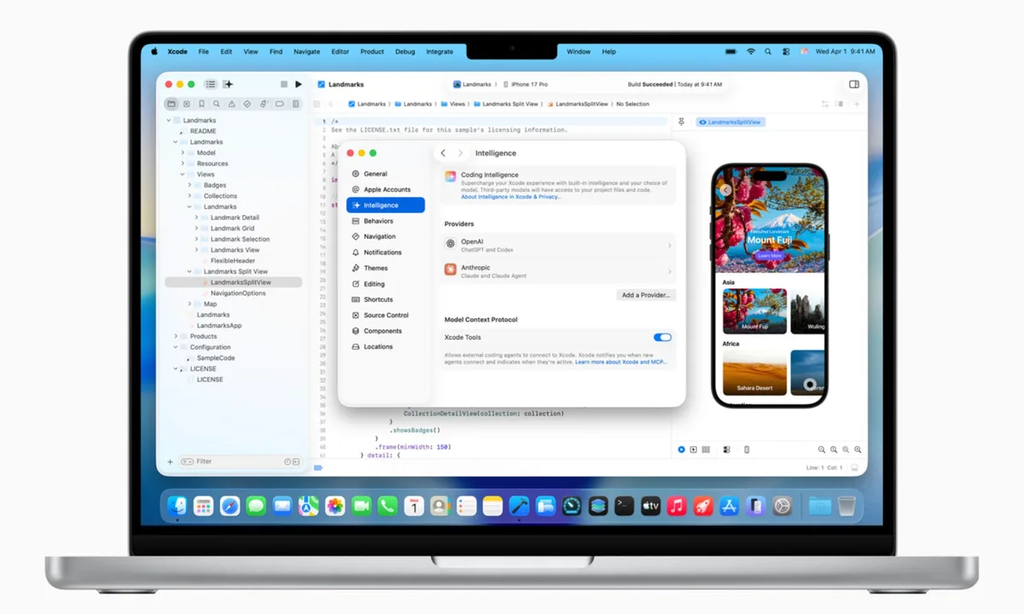
What Can AI Agents Actually Do in Xcode?
This is where Xcode 27 becomes particularly interesting.
According to Apple’s documentation and WWDC demonstrations, agents can work with several parts of the development workflow.
Plan development tasks
Agents can analyze a task and create an implementation plan before making changes.
This gives developers an opportunity to review the approach first instead of immediately allowing code modifications.
Modify multiple files
An agent isn’t limited to completing a single function.
It can work across the project and make related changes where necessary.
Generate and modify SwiftUI interfaces
Agents can help create UI components and refine them based on developer instructions.
Use previews
Agents can use Xcode previews to inspect visual changes and iterate on the interface.
Run tests
Agents can write and execute tests, allowing them to check whether changes behave as expected. Apple
Use Playgrounds
Agents can experiment with ideas in isolation using Playgrounds before incorporating the result into the main project.
Interact with applications
Apple says agents can interact with the running application through the simulator, including actions such as tapping, scrolling, swiping, and typing.
That last capability is particularly important.
It moves AI-assisted development beyond:
“Does this code compile?”
toward:
“Does this application actually behave correctly?”
OpenAI, Anthropic and Google AI in Xcode
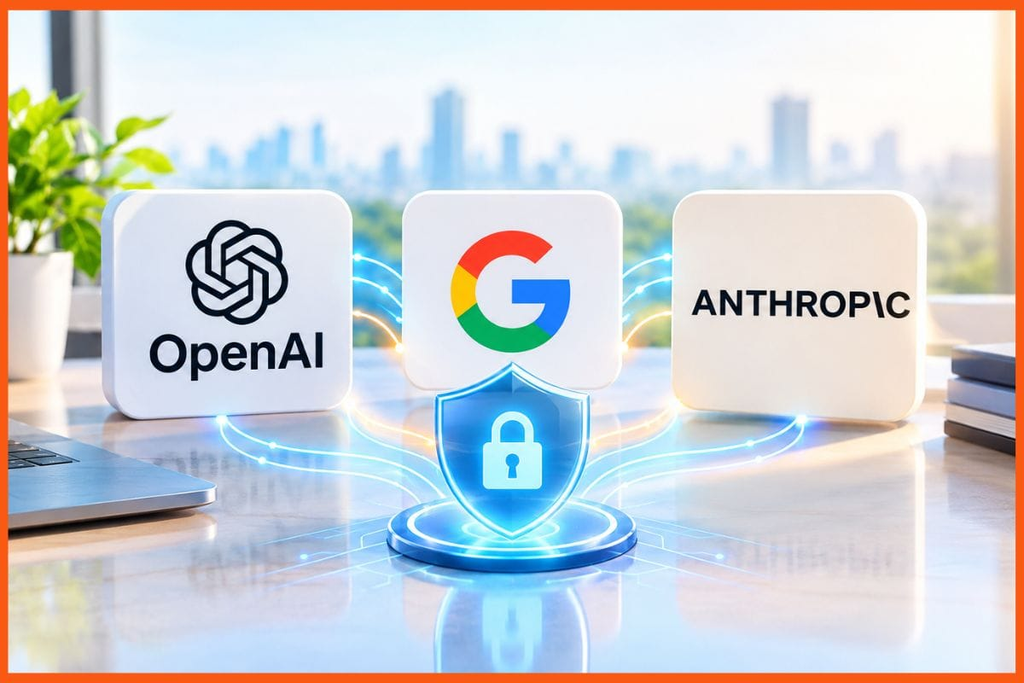
One of the biggest changes is that developers aren’t restricted to a single AI provider.
Apple says Xcode 27 brings agents from Anthropic, OpenAI, and Google into the development workflow.
That gives developers more flexibility when choosing the model or agent they want to use.
This is also consistent with the broader direction of Xcode’s AI strategy.
Rather than building the entire coding experience around one model, Apple is creating an environment where different models and agents can participate in the development process.
For developers, that could mean choosing different agents depending on the task.
For example, one model might be preferred for reasoning through a complicated architecture, while another might be useful for a particular coding workflow.
The important point is that Xcode is becoming more model-agnostic.
Can Xcode AI Build an Entire iPhone App?
It can help build substantial parts of an application, but that doesn’t mean developers can simply describe an idea and walk away.
Apple’s WWDC demonstrations show agents being used to explore an existing project, plan features, implement changes, refine interfaces, and perform validation.
But building a production-quality application involves much more than generating Swift code.
A real application may require:
- Product decisions
- UX design
- Data architecture
- Authentication
- Security
- API design
- Error handling
- Performance optimization
- Accessibility
- Testing
- App Store requirements
- Privacy considerations
- Ongoing maintenance
AI agents can assist with many of these tasks, but developers still need to define requirements, review changes, validate behavior, and make architectural decisions.
So the realistic future isn’t necessarily “AI replaces the iOS developer.”
It is closer to:
“An iOS developer can delegate more of the repetitive implementation and validation work to AI.”
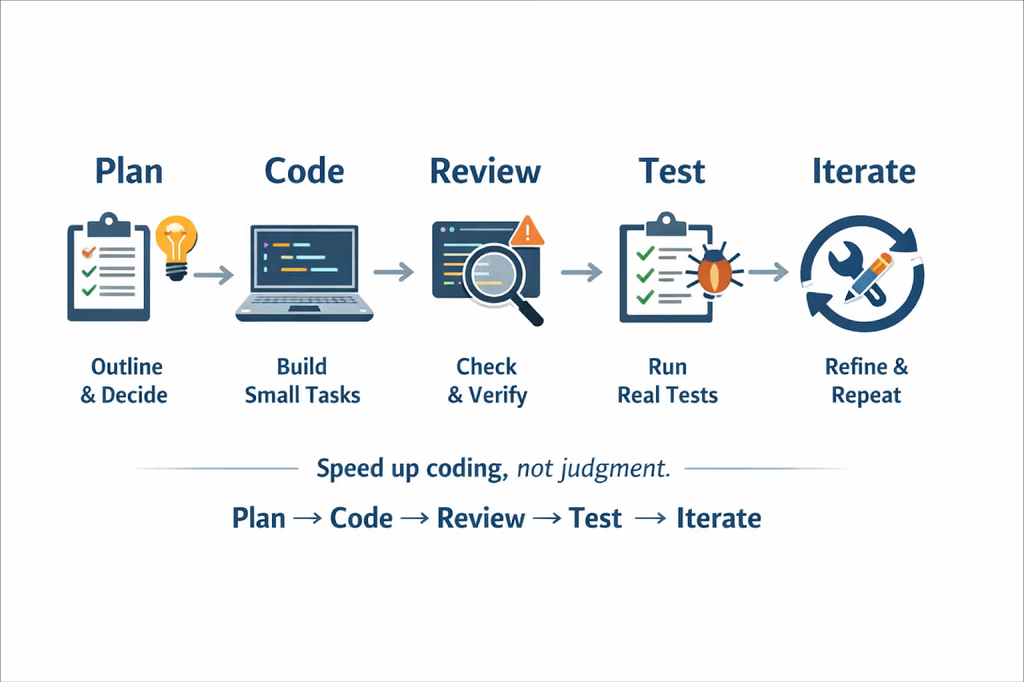
How AI Agents Plan Code Before Writing It
One of the more useful changes in Xcode 27 is the emphasis on planning.
Instead of immediately modifying the project, an agent can first investigate the codebase and produce a plan.
That plan can explain:
- Which files need to change
- What components are involved
- How the new feature fits the existing architecture
- What implementation steps are required
- How the changes should be tested
Developers can then review the plan and provide feedback before implementation begins. Apple’s Xcode 27 demonstrations specifically show this planning workflow.
This matters because AI-generated code isn’t automatically good code.
A bad implementation can still compile.
Planning gives developers a chance to catch architectural problems before the agent starts making widespread changes.
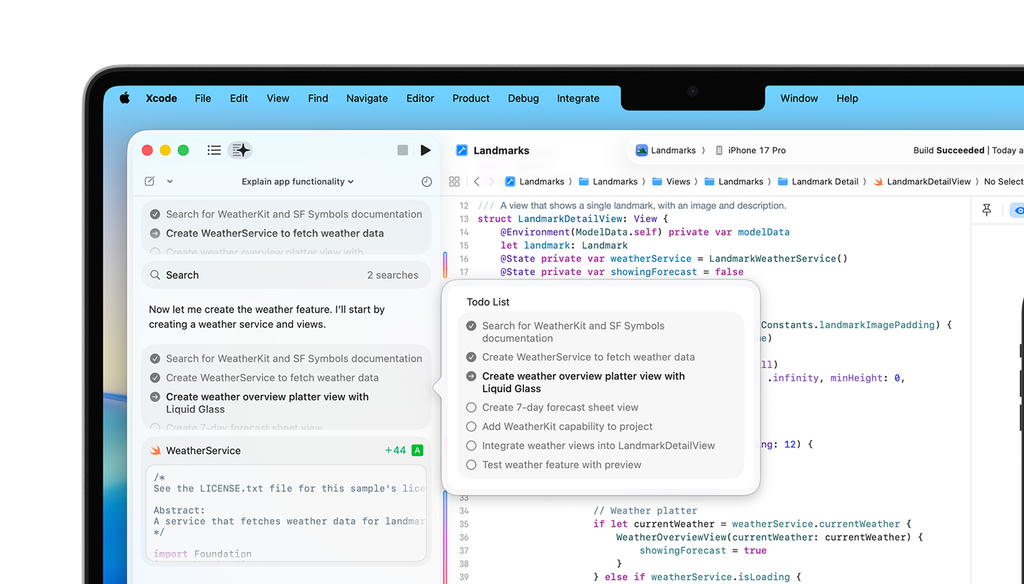
How Xcode Agents Test and Fix Code
Testing is another area where agentic coding becomes more powerful.
Apple says Xcode 27 gives agents tools for writing and running tests, experimenting in Playgrounds, checking previews, and interacting with simulators.
Imagine asking an agent to add a new feature.
A traditional coding assistant might generate the implementation.
An agent can potentially:
- Understand the requested feature
- Plan the implementation
- Modify the relevant files
- Build the project
- Run tests
- Inspect errors
- Make corrections
- Check previews
- Interact with the application
- Report what changed
That doesn’t eliminate the need for human review.
But it can reduce the amount of repetitive back-and-forth required to move from an idea to a working implementation.
Xcode + MCP + GitHub + Figma
Xcode 27 isn’t isolated from the rest of a developer’s toolchain.
Apple says Xcode can be extended through plugins, custom skills, MCP tools, and agents compatible with the Agent Client Protocol. Apple also highlights GitHub and Figma as early integrations that can be installed into Xcode. Apple
This is important because modern app development rarely happens entirely inside an IDE.
A typical workflow may involve:
Figma → design
GitHub → source control
Xcode → development
Simulator → testing
App Store Connect → distribution
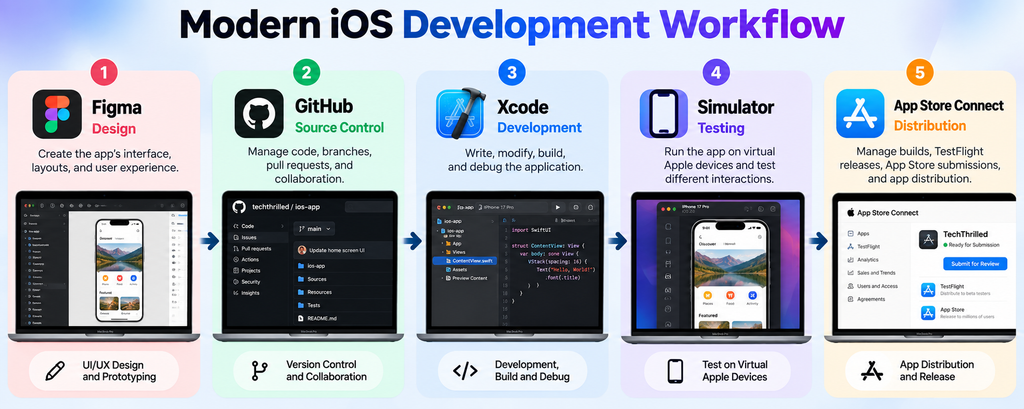
Connecting these tools allows AI agents to work with more of the context surrounding an application.
The bigger idea is not simply “AI inside Xcode.”
It is an AI-assisted development environment connected to the tools developers already use.
What Developers Still Need to Control
More autonomy doesn’t mean developers should stop reviewing AI-generated work.
In fact, the more powerful the agent becomes, the more important oversight can become.
Developers should still pay particular attention to:
Architecture
An agent may find a solution that works but doesn’t fit the long-term architecture of the application.
Security
Authentication, permissions, sensitive data, API keys, and network communication require careful review.
Privacy
Developers need to understand what data their applications collect, where it goes, and how AI-related features interact with user information.
Performance
Generated code can work correctly while still being inefficient.
User experience
An agent can implement a feature without necessarily understanding the product goals behind it.
Testing
Passing automated tests doesn’t guarantee that every real-world scenario has been handled.
Code review
Developers should understand significant changes before shipping them.
The best workflow is therefore not developer versus AI.
It is developer directing AI.
Xcode 27 vs Traditional AI Coding Assistants
The difference becomes easier to understand with a simple comparison.
| Capability | Traditional AI Coding Assistant | Xcode 27 Agentic Workflow |
|---|---|---|
| Code suggestions | Yes | Yes |
| Natural-language coding | Yes | Yes |
| Multi-file changes | Limited/varies | Designed for broader project work |
| Planning | Basic/varies | Built into agent workflow |
| Run tests | Usually manual | Agents can run tests |
| Use Playgrounds | Limited | Yes |
| Check previews | Limited | Yes |
| Interact with simulator | Limited | Yes |
| Multiple AI providers | Depends on tool | OpenAI, Anthropic and Google support |
| MCP integration | Tool-dependent | Supported |
| Agent plugins | Tool-dependent | Supported |
| Human review | Recommended | Still essential |
The key difference isn’t simply the number of AI features.
It’s the level of integration between the AI and the development environment.
What This Means for the Future of iOS Development

Xcode 27 is part of a much larger change happening across software development.
The old workflow was largely:
Idea → code → compile → test → debug → repeat
The emerging workflow looks more like:
Idea → plan with AI → implement with agents → test automatically → review → refine
The developer doesn’t disappear from the process.
Instead, the developer moves further toward being an architect, reviewer, product thinker, and decision-maker while AI handles more repetitive implementation work.
Apple is also building AI capabilities directly into its development frameworks. For example, its Foundation Models framework gives developers APIs for integrating language-model capabilities into applications, while Core AI is designed for running custom models on Apple silicon.
That means Apple isn’t treating AI as just another feature inside Xcode.
It’s building AI into multiple layers of the developer ecosystem.
And that could make Xcode 27 one of the more important steps in Apple’s long-term development strategy.
Frequently Asked Questions
What is Xcode 27?
Xcode 27 is Apple’s development environment for its latest-generation Apple platforms. It adds expanded agentic coding capabilities that allow AI agents to plan, modify, test, preview, and interact with applications as part of the development workflow. Apple
Which AI models work with Xcode 27?
Apple says Xcode 27 integrates agents from Anthropic, OpenAI, and Google. Xcode can also be extended through plugins and compatible agent protocols. Apple Developer
What is agentic coding?
Agentic coding is a development approach where AI agents can work through multi-step programming tasks with greater autonomy. Instead of only generating code from a prompt, an agent can plan tasks, modify files, use tools, run tests, and iterate toward a goal.
Can Xcode 27 build apps automatically?
Xcode 27 can automate substantial parts of app development, including planning, implementation, testing, previews, and simulator interaction. However, developers still need to define requirements, review changes, make architectural decisions, and validate the final application.
Can Xcode agents run tests?
Yes. Apple says Xcode 27 gives agents the ability to write and run tests and use other tools to validate their work.
Does Xcode 27 support GitHub and Figma?
Yes. Apple identifies GitHub and Figma among the first tools offering seamless plugin installation with Xcode’s extensible agent workflow.
What is MCP in Xcode 27?
MCP, or Model Context Protocol, allows AI agents to interact with external tools and services through standardized connections. Apple says Xcode can use MCP tools to connect with tools developers already use, including services such as GitHub and design tools such as Figma.
Is Xcode 27 available now?
Yes. Apple lists Xcode 27 as released on September 14, 2026. Xcode 27.2 is also being tested as a beta release.
Is Xcode 27 only useful for experienced developers?
Not necessarily. AI agents can help developers explore projects, understand code, prototype features, and automate repetitive tasks. However, understanding programming fundamentals remains important because developers need to evaluate the agent’s decisions and troubleshoot problems.
Will AI replace iOS developers?
Xcode 27 does not establish that AI will replace iOS developers. What it clearly demonstrates is that AI agents can take on more development tasks than traditional code-completion tools. Developers still need to provide direction, review implementations, make product and architecture decisions, and take responsibility for the application they ship.
Final Thoughts
Xcode 27 represents a significant change in how Apple wants developers to work with AI.
The biggest story isn’t that Apple added another AI coding assistant.
It’s that Apple is giving AI agents access to more of the actual development workflow.
Agents can plan tasks, modify code, run tests, use Playgrounds, inspect previews, interact with applications, and work with external tools. Xcode 27 also brings agents from OpenAI, Anthropic, and Google into the same environment.
That makes the developer’s role increasingly focused on direction, architecture, creativity, validation, and decision-making.
For iOS developers, the skill that matters may gradually shift from simply knowing how to write every line of code to knowing how to effectively direct, review, and collaborate with AI agents while maintaining control over the product.
And that’s what makes Xcode 27 more than just another annual Xcode update.
It is a glimpse at what software development looks like when the IDE itself becomes an active participant in the process.