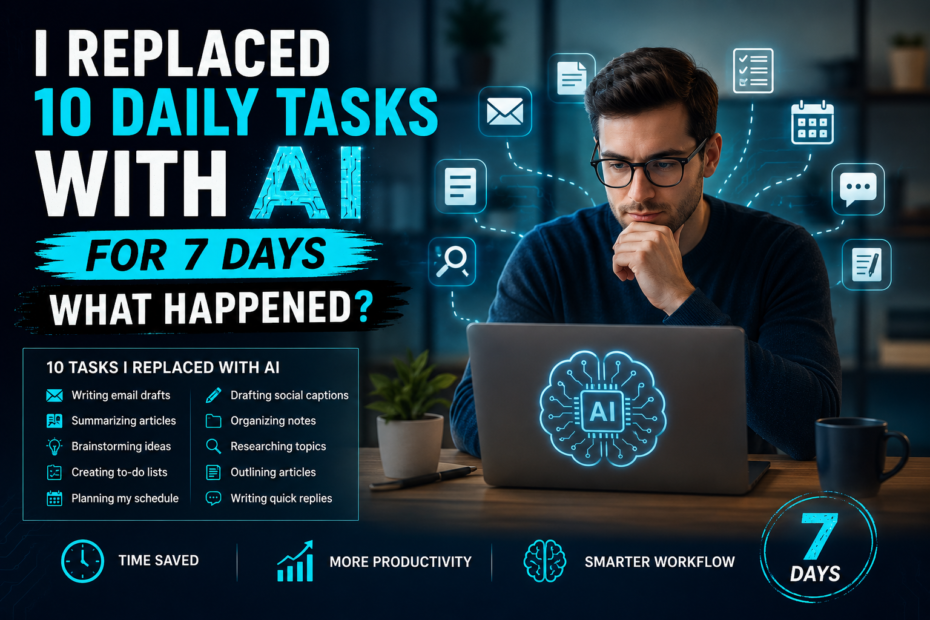
Artificial intelligence is changing the way we work, but can it really improve everyday productivity? I spent seven days replacing 10 daily tasks with AI to find out. Here’s what surprised me, what saved time, and where AI still could match human judgement.
Why I Decided To Run An AI Productivity Experiment?
Artificial intelligence is now built into many tools, and I wanted to see what would happen if I used it for 10 daily tasks for 7 days. Could it save time, reduce effort, and make my workflow easier?
Why I Tried It?
I wanted to test AI in real life, not just in theory. My goal was simple: replace 10 everyday tasks with AI and see whether it actually improved my productivity.
The 10 Tasks I Replaced
I used AI for:
- Writing email drafts.
- Summarizing articles.
- Brainstorming ideas.
- Creating to-do lists.
- Planning my schedule.
- Drafting social captions.
- Organizing notes.
- Researching topics.
- Outlining articles.
- Writing quick replies.
What Happened?
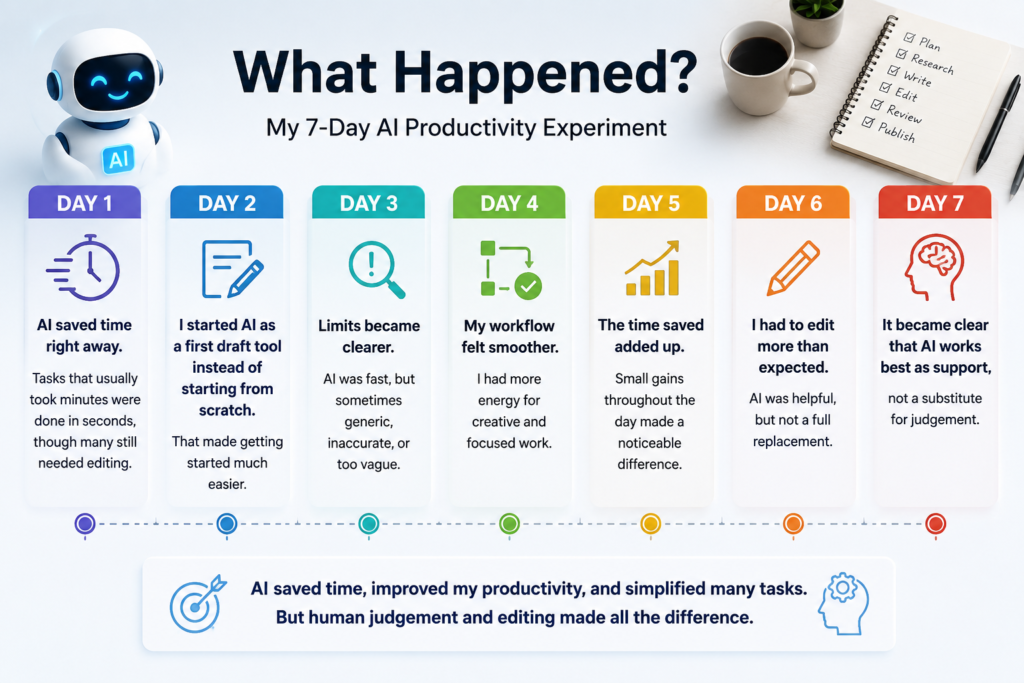
Day 1
AI saved time right away. Tasks that usually took minutes were done in seconds, though many still needed editing.
Day 2
I started AI as a first draft tool instead of starting from scratch. That made getting started much easier.
Day 3
Limits became clearer. AI was fast, but sometimes generic, inaccurate, or too vague.
Day 4
My workflow felt smoother. I had more energy for creative and focused work.
Day 5
The time saved added up. Small gains throughout the day made a noticeable difference.
Day 6
I had to edit more than expected. AI was helpful, but not a full replacement.
Day 7
It became clear that AI works best as support, not a substitute for judgement.
What I Learned?
After 7 days, I saved time, felt less overwhelmed, and worked more efficiently. But I also learned that AI still needs human oversight, especially for tasks that require nuance, accuracy, or personal voice.
The Rules Of My 7-Day AI Productivity Experiment
Artificial intelligence is changing the way we work, so I tested its impact under a clear set of rules. For seven days, I replaced 10 everyday tasks with AI and tracked what happened. I focused on time saved, the quality of the output and where human judgement still mattered most.
To keep the experiment fair and consistent, I followed a few simple rules:
Tasks I Replaced with AI
I used AI for 10 everyday tasks, including:
- Writing
- Research
- Planning
- Brainstorming
- Email drafting
- Scheduling
AI Tools I Used
I tested popular AI tools such as:
- ChatGPT
- Gemini
- Claude
- Notion AI
How I Measured Productivity?
I tracked time saved, output quality, accuracy, ease of use and whether AI reduced my overall workload.
Day-1 Getting Started With AI
The first day was all about learning the tools and adjusting my routine. I used AI for simple tasks like planning my day, writing emails and brainstorming ideas. While it took some time to get used to writing effective prompts, AI has already helped me complete several tasks faster with less effort.
First Impressions
My first impression of AI was positive. It handled simple tasks quickly and produced useful results, though it was not perfect.
Setup Process
Getting started was straightforward. I signed up for the AI tools, explored their features, and organized them for different tasks like writing, planning and research.
Learning Curve
The biggest lesson was learning how to write clear prompts. The more specific my instructions, the better the AI’s response became.
The 10 Daily Tasks I Replaced With AI
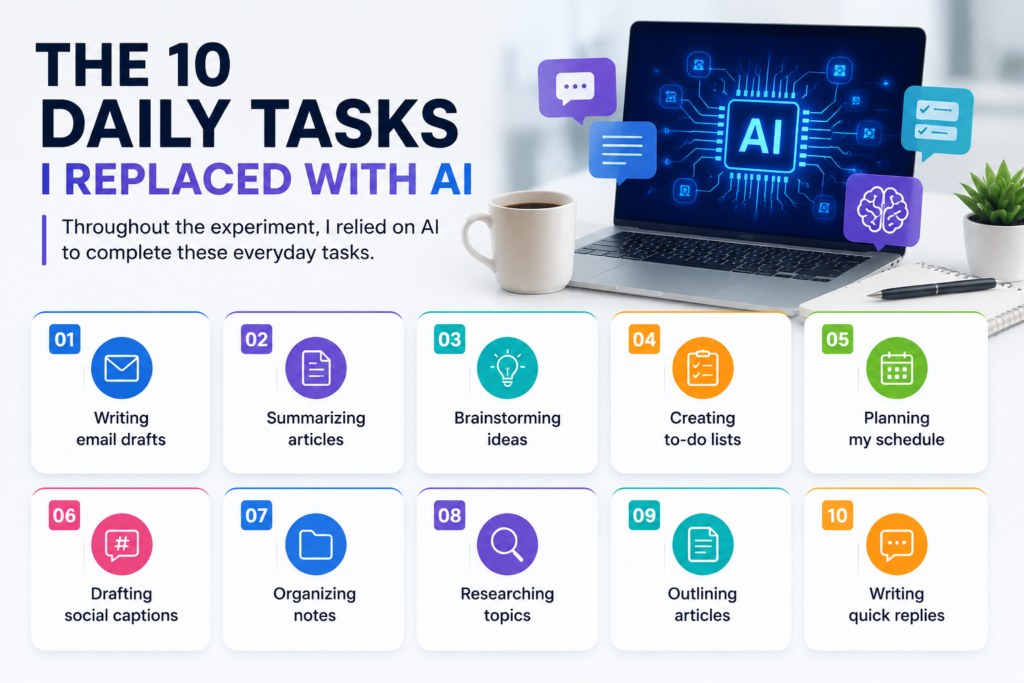
Throughout the experiment, I relied on AI to complete these everyday tasks.
1. Planning My Daily Schedule
An AI-created organized schedule in seconds, while manual planning took longer and required more adjustments.
2. Writing Emails and Messages
AI produced clear drafts quickly, but I still edited them to match my tone and add personal details.
3. Brainstorming Ideas
AI generated plenty of ideas instantly, whereas manual brainstorming took more time but often produced more original concepts.
4. Researching Information
AI summarized key points much faster than manual research, although I verified important facts for accuracy.
5. Drafting Blog Content
AI created a solid first draft that saved time, but manual editing was needed to improve flow, originality, and voice.
6. Summarizing Long Articles
AI condensed lengthy content into easy-to-read summarise within minutes, a task that normally required much more time.
7. Creating a To-Do List
AI organizes tasks by priority and deadlines, making planning faster than doing it manually.
8. Checking Grammar and Spelling
AI caught most grammar and spelling mistakes instantly, while manual proofreading was slower and easier to miss errors.
9. Organizing Notes and Documents
AI grouped and formatted information efficiently, reducing the time spent storing files manually.
10. Managing Simple Administrative Tasks
AI handled repetitive tasks such as formatting, drafting templates, and organizing information, allowing me to focus on more important tasks.
What Worked Surprisingly Well?
Several AI features performed better than I expected during the experiment.
1. Speed
AI completed research, article summaries, grammar checks, and email drafts in just a few minutes. Tasks that normally took 20–30 minutes were often finished in under five.
2. Creativity
AI-generated blog ideas, headlines, outlines, and brainstorming suggestions instantly. While not every idea was unique, it provided an excellent starting point and helped overcome writer’s block.
3. Accuracy
AI delivered well-structured schedules, organized to-do lists, and polished grammar with impressive consistency. Although I still checked important information, most routine tasks required only minor edits.
Where does AI struggle?
Despite its impressive performance, AI was not perfect. Throughout the experiment, I noticed several limitations that required human involvement.
1. Factual Errors
AI occasionally provided outdated or incorrect information, making it necessary to verify important facts before using them.
2. Lack of Context
While AI understood most prompts, it sometimes missed specific context or misunderstood my intent, leading to generic or irrelevant responses.
3. Creativity Limits
AI generated plenty of ideas, but some felt repetitive or lacked originality. For tasks requiring a unique perspective or personal experience, human creativity produced stronger results.
4. Need for Human Review
Almost every AI-generated output benefited from editing. I still had to refine the tone, correct small mistakes, and ensure the final content matched my goals.
Time Saved During the AI Productivity Experiment
One of the biggest benefits of using AI was the amount of time it saved on everyday tasks. By automating repetitive work, I was able to spend more time on creative thinking and decision making.
Before using AI
- Research: 30–40 minutes.
- Email writing: 15 minutes.
- Blog drafting: 2 hours.
- Summarizing articles: 25 minutes.
- Grammar checking: 20 minutes.
- Daily planning: 15 minutes.
After using AI
- Research: 10–15 minutes.
- Email writing: 3–5 minutes.
- Blog drafting: 45–60 minutes.
- Summarizing articles: 5 minutes.
- Grammar checking: 2–3 minutes.
- Daily planning: 5 minutes.
The Biggest Lesson I Learned
After seven days of using AI, I realized that the best results come from combining AI with human skills. AI can save time, improve productivity, and handle repetitive tasks efficiently, but it still needs human creativity, critical thinking, and fact-checking. Instead of replacing people, AI works best as a powerful assistant that helps you work smarter and faster.
Best AI Tools For Everyday Productivity
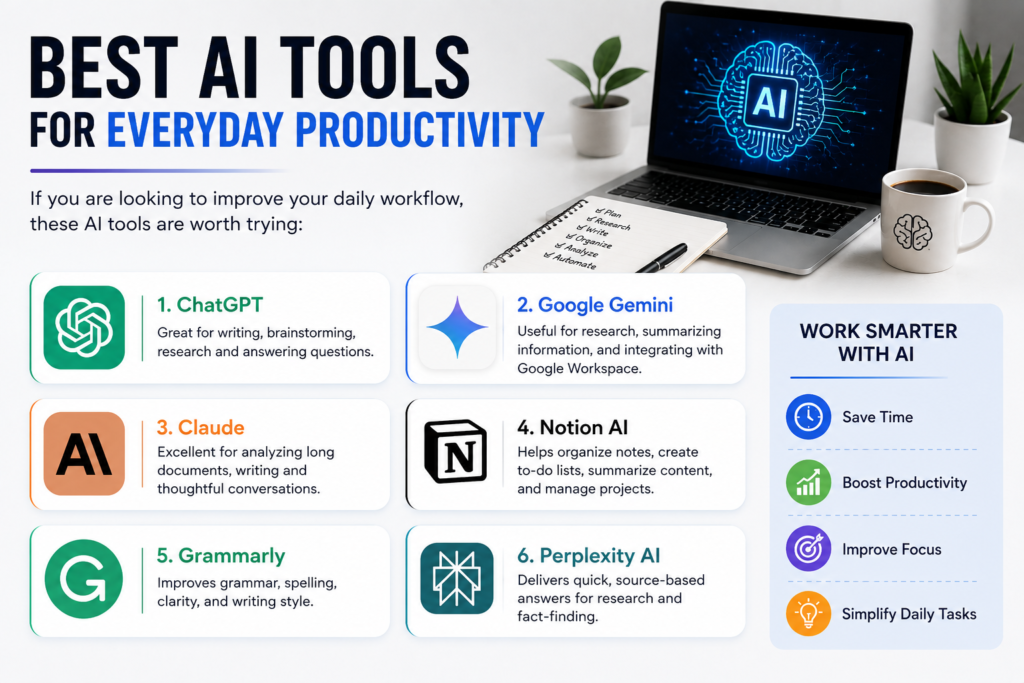
If you are looking to improve your daily workflow, these AI tools are worth trying:
- ChatGPT Great for writing, brainstorming, research and answering questions.
- Google Gemini Useful for research, summarizing information, and integrating with Google Workspace.
- Claude Excellent for analyzing long documents, writing and thoughtful conversations.
- Notion AI Helps organize notes, create to-do lists, summarize content, and manage projects.
- Grammarly Improves grammar, spelling, clarity, and writing style.
- Perplexity AI Delivers quick, source-based answers for research and fact-finding.
Should You Try An AI Productivity Experiment?
If you are curious about how AI can improve your daily routine, a one-week productivity experiment is definitely worth trying. It can definitely help you identify which tasks AI handles well and where human input is still essential.
My biggest takeaway is that AI is not a replacement for people—it’s a tool that helps you work faster and more efficiently. Use it to automate repetitive tasks, generate ideas, and save time, but always review important work for accuracy and quality.
Even a simple seven-day experiment can show you how AI fits into your workflow and help you become more productive.
Final Verdict After Seven Days
After using AI for seven days, I can confidently say it made me more productive. It saved time, simplified repetitive tasks, and helped me work more efficiently. However, AI was not perfect—it still required fact checking, editing, and human judgement for the best results.
Conclusion
My seven-day AI productivity experiment AI can be a valuable tool for improving efficiency and saving time. While it handled repetitive tasks exceptionally well, it couldn’t fully replace human creativity, critical thinking, or decision making. The best approach is to use AI as a productivity partner rather than a replacement. By combining AI speed with human judgement, you can work smarter and produce better results, and make the most of your time.
Frequently Asked Questions
Does AI really improve productivity?
Yes, AI can significantly reduce time spent on repetitive tasks such as drafting emails, summarizing documents, brainstorming ideas, and organizing schedules. However, human review is still necessary for accuracy and context.
Which AI tool is best for productivity?
ChatGPT is excellent for writing and brainstorming, Gemini works well with Google Workspace, Claude handles long documents effectively, and Notion AI is useful for note-taking and project management.
Can AI replace human workers?
Not completely. AI automates repetitive tasks but still depends on human creativity, judgment, and fact-checking for high-quality work.